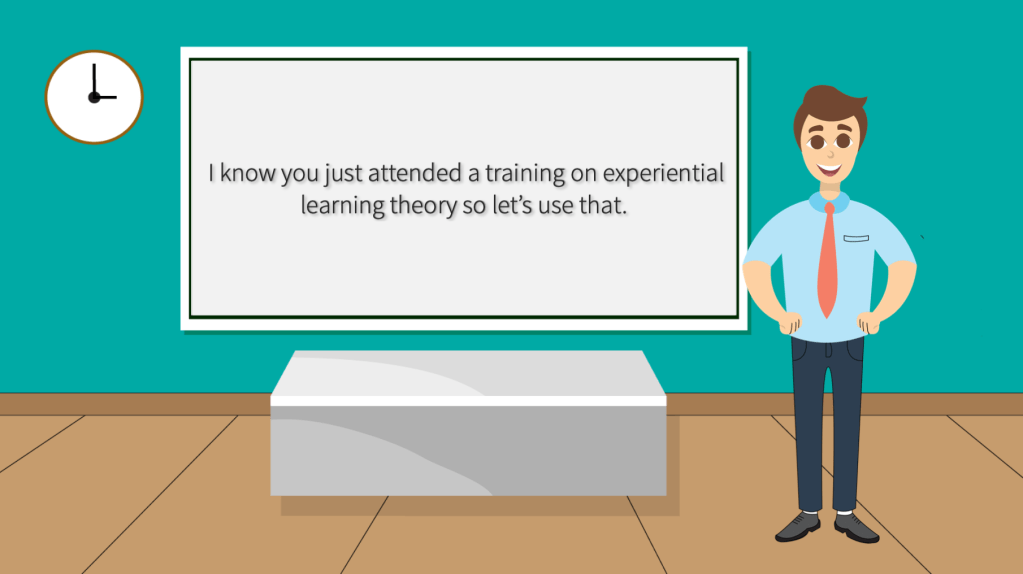
A Scenario-based eLearning Experience
This immersive e-learning module on experiential learning theory equips educators and advisors with practical strategies to integrate this approach into their teaching and counseling practices. By immersing themselves in realistic scenarios, educators gain a deeper understanding of how to tailor instruction and support to meet the diverse needs of students. Moreover, advisors gain invaluable insights into effectively communicating with parents and guardians, empowering them to play a pivotal role in their child’s educational journey. Through the implementation of experiential learning strategies, educators and advisors foster an inclusive learning environment that enhances student engagement, promotes academic progress, and cultivates a positive educational experience for all learners.
Audience: Teachers and Advisors
Responsibilities: Instructional Design, eLearnign Development, Graphic Design, Adult Learning Specialist
Tools Used: Articulate Storyline 360, Adobe Illustrator, Adobe After Effects, MindMeister, Moodle
Problem and Solution
The client is Bridgeway Academy, a large homeschooling corporation that wanted to provide professional development opportunities to their teachers and advisors. I am the instructional and technology coach at Bridgeway Academy and I have an extensive background in learning theories and creating professional development opportunities. The client reached out to me because of my extensive background in adult and child learning theories and they felt that the students could really benefit from teachers and advisors having more training.
Many general education teachers lack extensive training in adult learning theories. Most teachers are equipped with a vast knowledge of child learning theories. While their is some overlap between child and adult learning theories their exposure to these theories may be minimal, leaving them ill-equipped to effectively support diverse learning styles of older students. Similarly, advisors who aren’t certified teachers may have no formal training in leveraging learning theories to guide their interactions with students.
To address this gap, I proposed the implementation of a scenario-based e-learning program centered around learning theories. This platform provides educators and advisors with a safe environment to explore real-life classroom situations through the lens of different learning theories. By immersing themselves in these scenarios, they not only grasp the practical challenges but also witness the tangible outcomes of applying different theoretical frameworks. This firsthand experience equips them with the knowledge and confidence to tailor their instructional or advising approaches to meet the diverse needs of their students.
The client agreed that integrating this e-learning experience following a professional development session would be invaluable. It offers teachers and advisors a chance to immediately apply the learning theories they’ve acquired, reinforcing their understanding and ensuring they’re better prepared to support students with diverse learning needs effectively.
Action Map
On this project I along with one of my co-workers functioned as the Subject Matter Experts. I am a certified teacher for grades (K-12) and have many years of experience working with both adragogical and pedagogical principles. In order to keep our goal at the center of our work I developed clear action map to help support our path. I wanted to boil everything down to four main actions that any teacher or advisor could use to support their students learning.
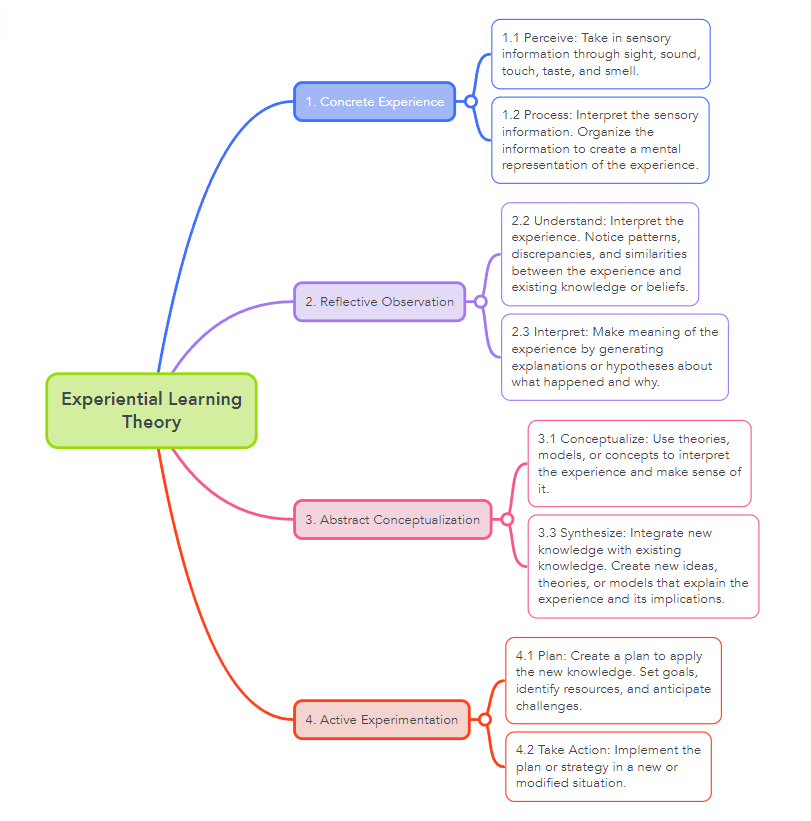
Then I identified two supporting actions for each action. These supporting actions the teacher or advisor could perform to make the proper implementation of Experiential Learning Theory. The client approved the actions for the eLearning experience, and I moved forward to create the text-based storyboard.
Text-Based Storyboard
Once the action map was approved and the specific actions were defined, I moved on to developing the text-based storyboard. I first created the twelve questions with the correct responses and incorrect consequences. As the learner works their way through the scenario, each option provides three actions: a correct choice and two distractors.
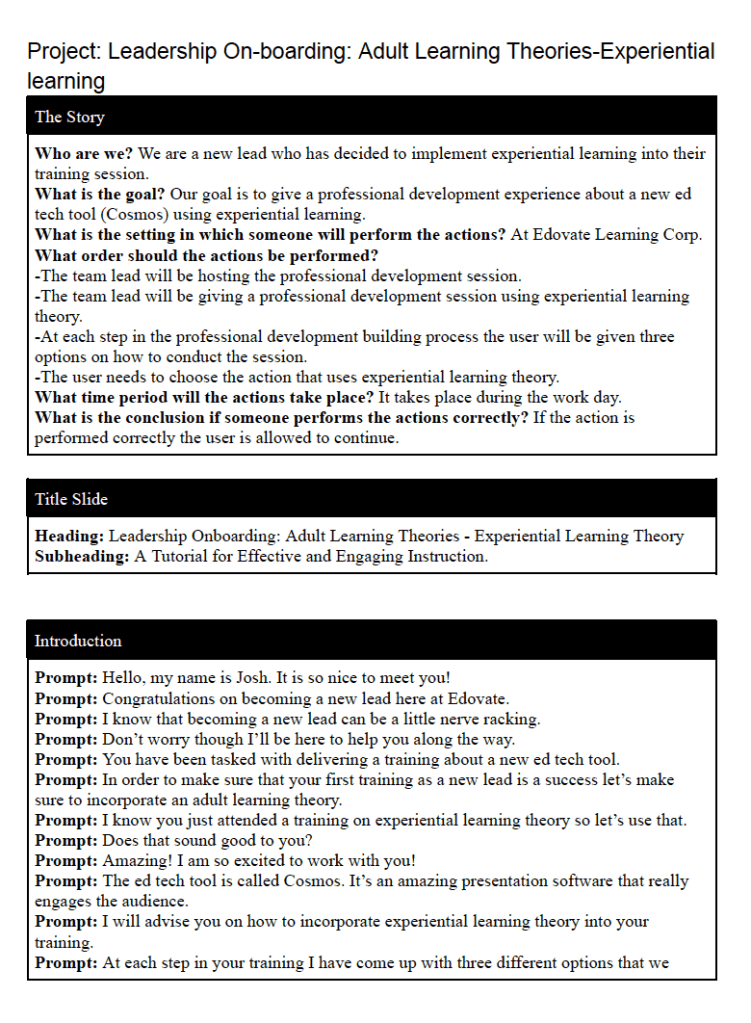
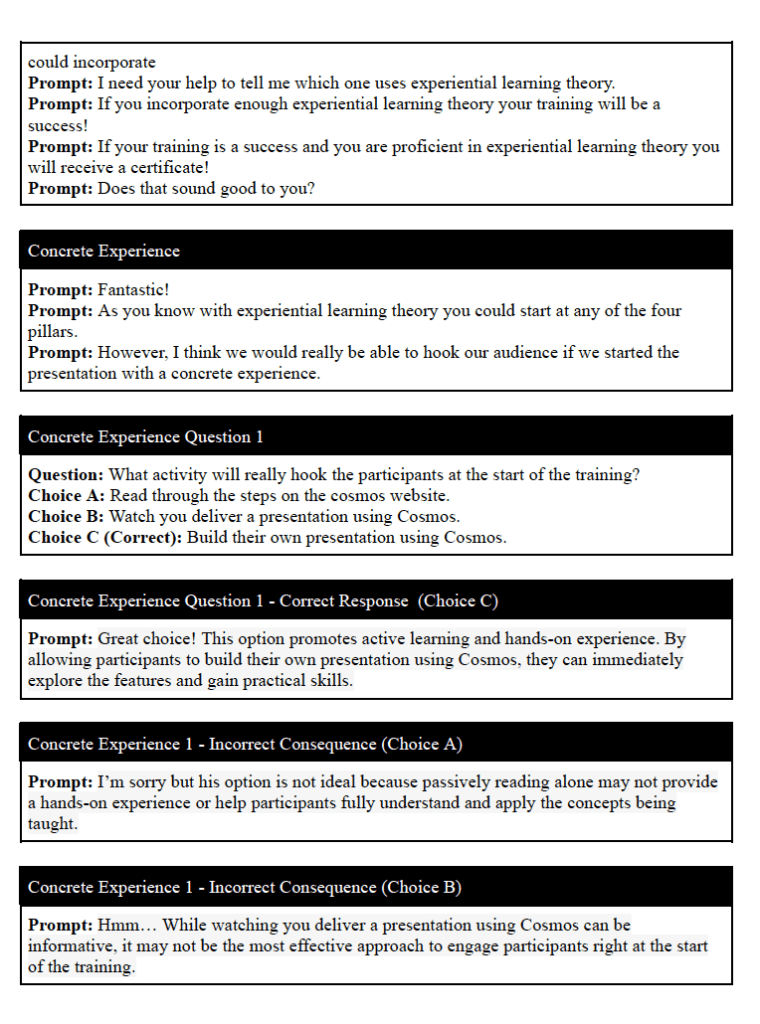
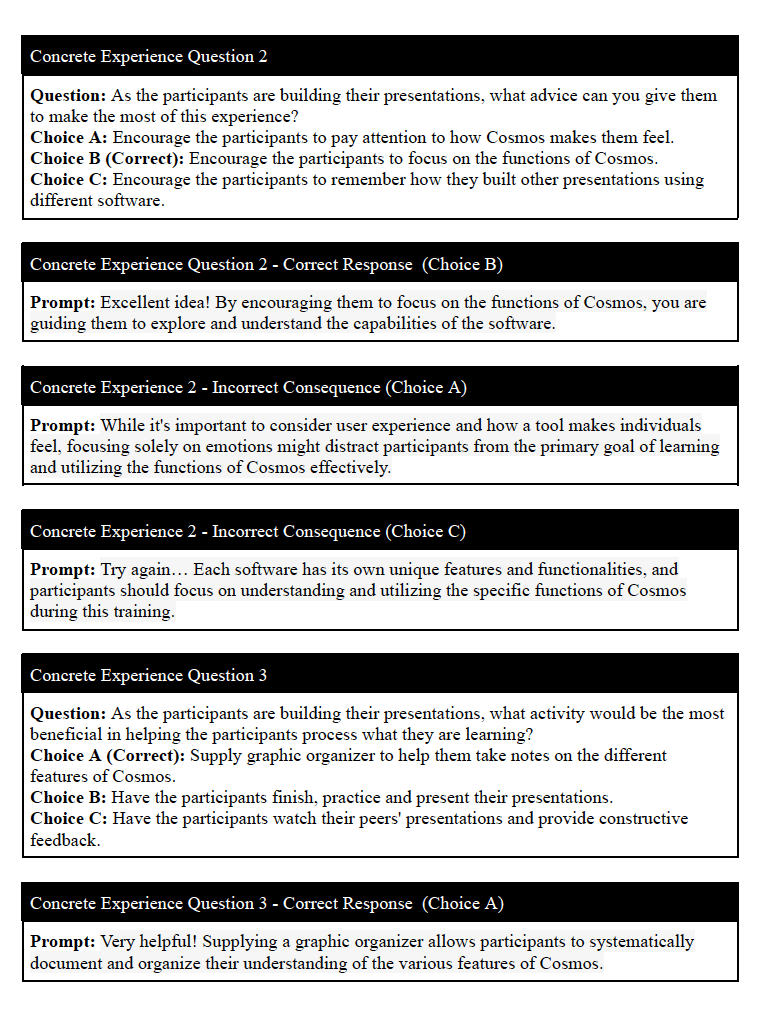
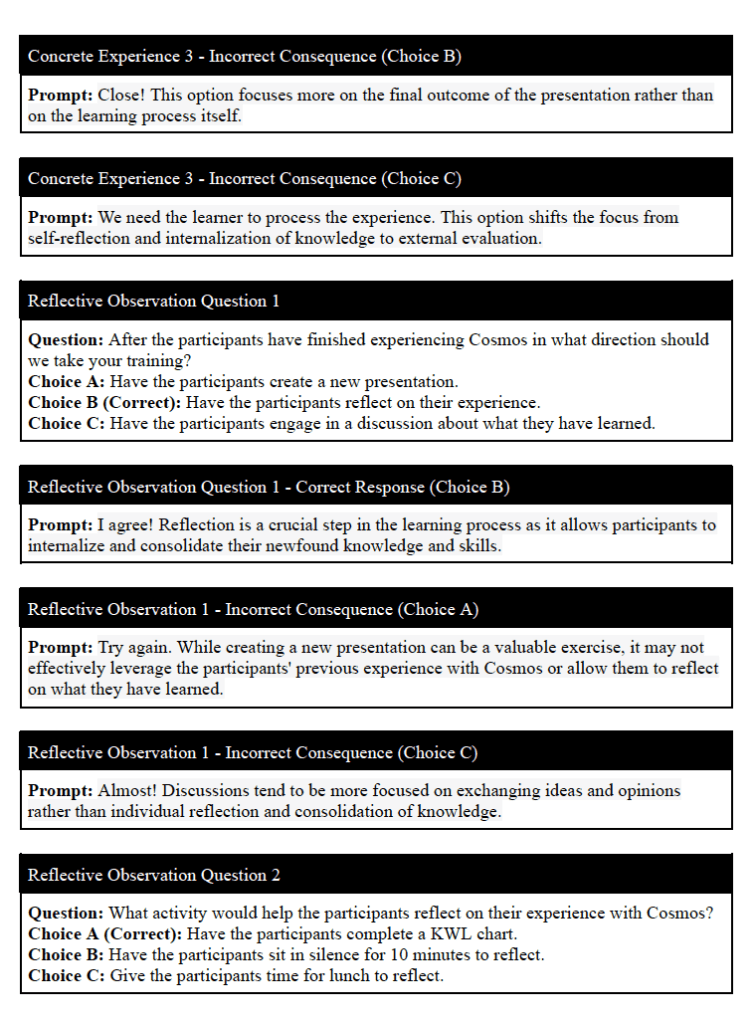
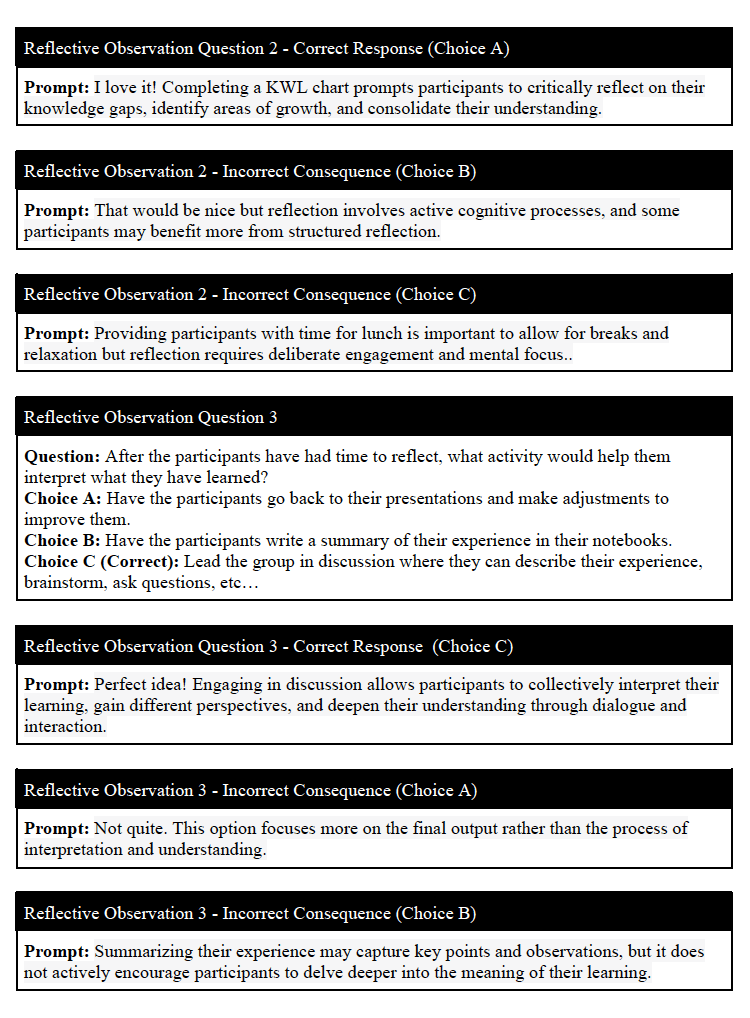
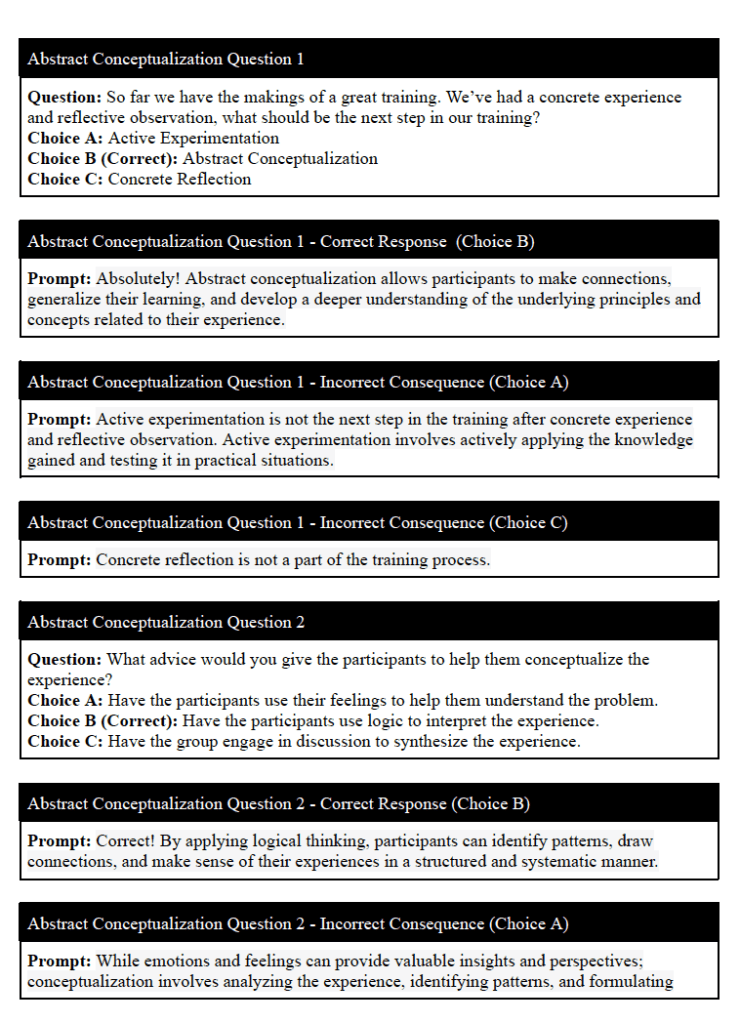
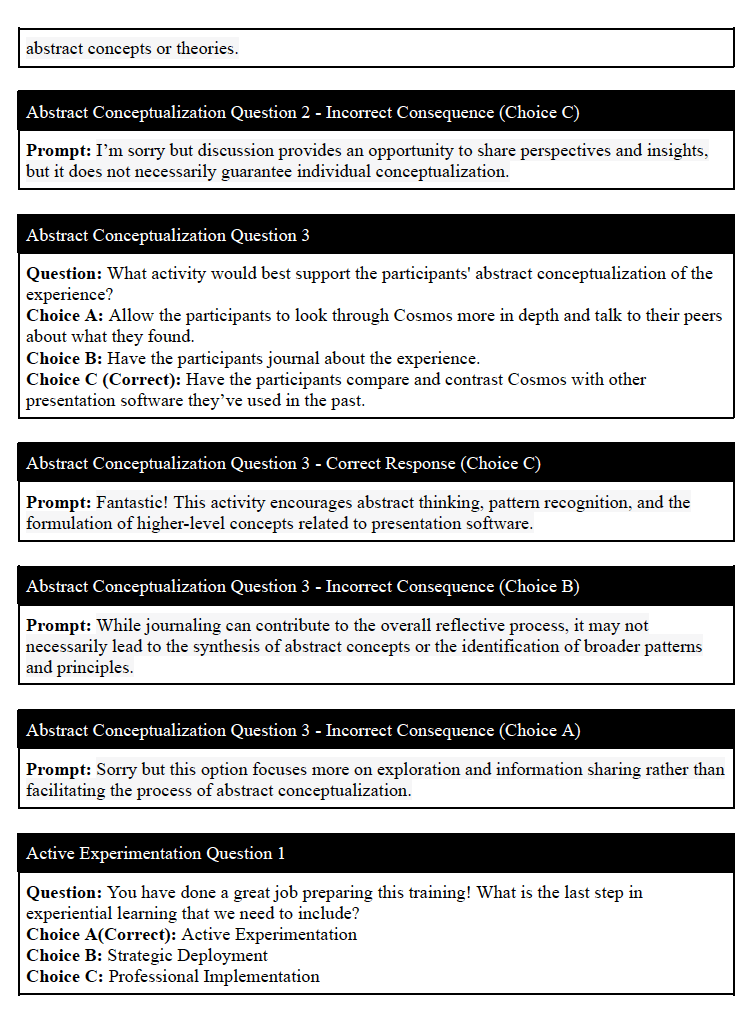
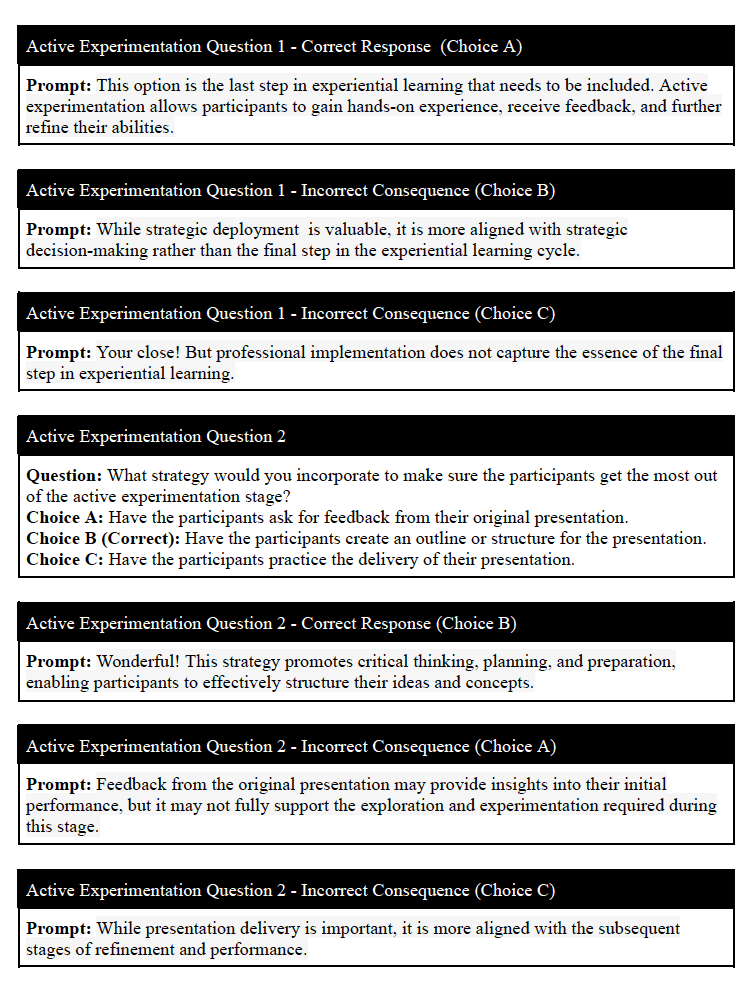
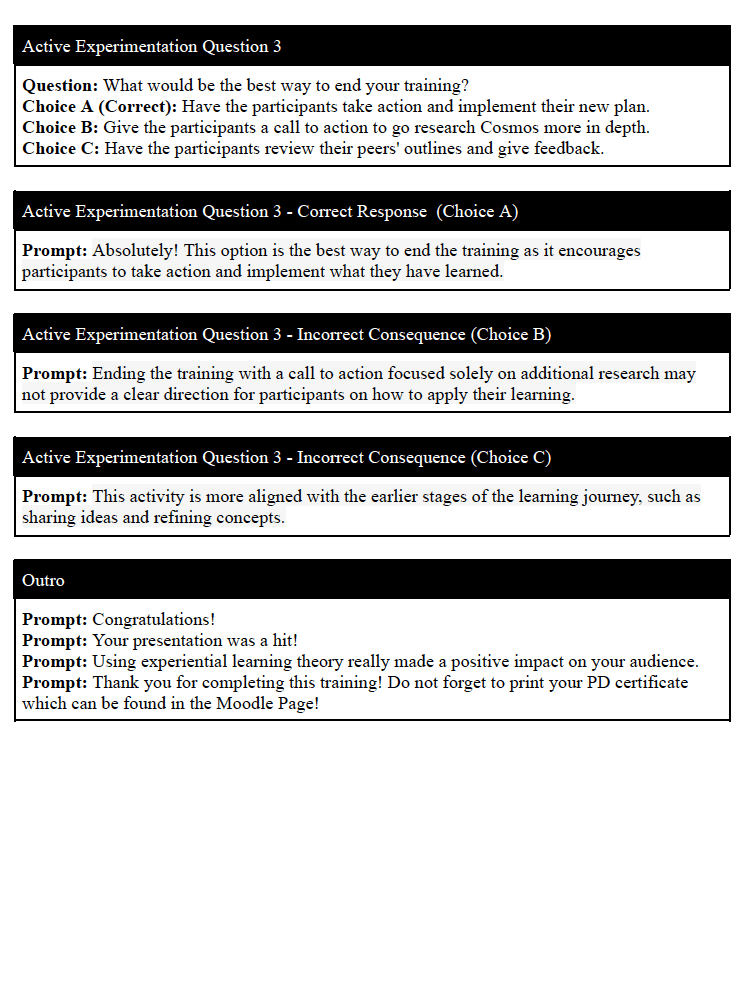
If the learner chooses the correct action, they will see a positive consequence and progress in the scenario. If the wrong action is selected, the learner will be informed of the negative outcome and provided an opportunity to try again.
I pulled from my previous experience working with Experiential Learning Theory to come up with twelve different real life scenarios. I focused on creating a story that would reflect experiences that the teachers and advisors are likely to encounter.
After the completion of the text based storyboard the client reviewed it and gave me the approval to move forward to creating the visual assets.
Developing Visual Assets: Adobe Illustrator & After Effects
After I received the approval of the text-based storyboard, I moved onto creating the visual assets for the scenario-based eLeanring experience. The client liked my idea of using their color scheme and font used in other professional development materials.
I used Adobe Illustrator to create custom visuals for the project. This included visuals that were full slide such as the introduction slide and main desk visual asset which you can see above. Additionally, in illustrator, I created a custom character (Mr. Josh) visual asset which you can see below. Throughout the scenario I created additional full slide assets to help reinforce the positive and negative outcomes for Experiential Learning Theory.




After completing the stationary visual assets I wanted to make the eLearning experience more lively. In order to achieve this I animated Mr. Josh using Adobe After Effects. I created a few different motions for Mr. Josh to say hello and help reinforce positive and negative outcomes. After showing the visual assets to the client and getting the approval to move forward I moved on to creating the interactive prototype.
Interactive Prototype: Articulate Storyline
I used Articulate Storyline 360 to create the interactive prototype for this project. I had planned out how I wanted to prototype to look and function through the visual assets and the text-based storyboard. I built out the opening screens, introductory slides, and the first questions with the correct and incorrect prompts for the prototype.
I wanted to get some feedback from my client as well as from a teacher since they would be they would be the one that would be using this scenario-based eLearning experience. I wanted to make sure that the prototype was visually appealing, that the directions were clear and easy to follow, and address any issues with the user experience.
After meeting with the client and teacher they saw no need to make any changes to the prototype. I then proceeded to the full development of the eLearning experience.
Full Development: Articulate Storyline 360 – Adobe Illustrator – Moodle
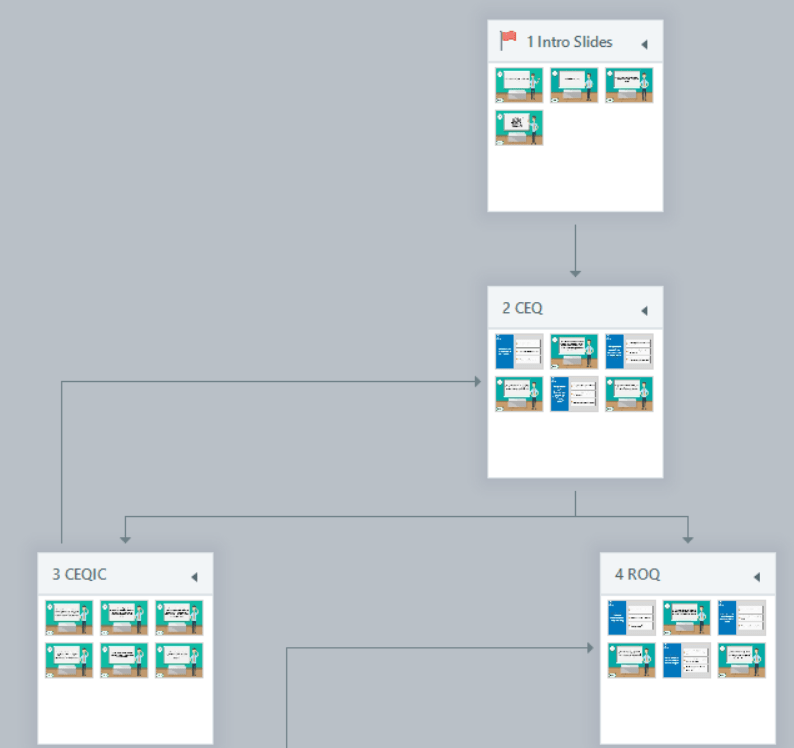

I developed the final project in Articulate Storyline 360 with the addition of Adobe illustrator & After Effects and Moodle. Using Adobe Illustrator I created custom visual assets from scratch. Then moving to Adobe After Effects I added motion to my character. I then built out the full scenario-based eLearning experience in Articulate Storyline 360. Once the project was complete I uploaded it and created a full Moodle course which included a 30 minute live professional development session, Nearpod presentation with linked resources, and the completed eLearning project.
 Colin Hickey
Leave a comment